

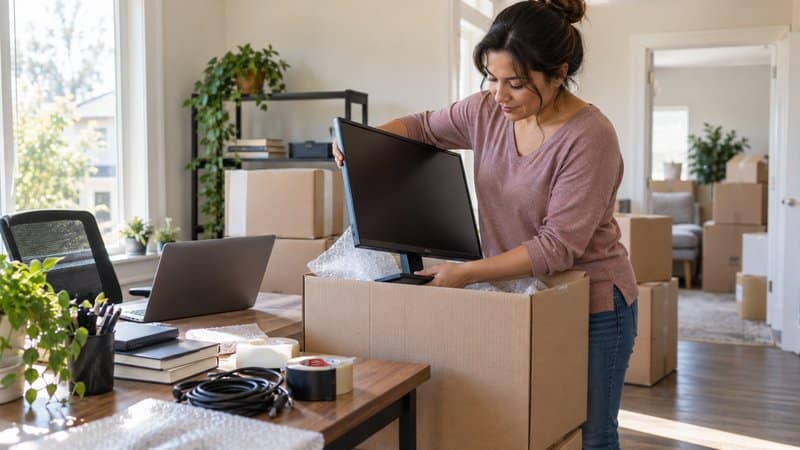
A home office holds some of the most irreplaceable things in the entire house: the computer with years of client files, the monitor calibrated just right, the router that keeps a remote job running. Moving electronics long distances adds risk to all of it, from temperature swings on the road to a cracked screen from a box that got stacked wrong.
Luckily, none of that risk is inevitable. With cross-country moving services and a little preparation before moving day, you can protect your equipment and get your home office quickly back online at your new home.
Here’s what makes a difference, from the first backup you run to the day your internet gets reconnected at your new home.
Back Up Your Data and Document Your Setup
Back up every device before packing a single box. Copy files to a cloud service or an external drive that travels with you, not in the moving truck. That way, a lost or damaged laptop never means losing years of work.
Photograph your setup before you disconnect anything. For example, you can take pictures of:
- The cables behind your desktop
- The way your monitor arm is mounted
- How your router and modem connect
These pictures will turn reassembly into a five-minute job instead of an hours-long guessing game.
Additionally, write down model and serial numbers for your most valuable equipment. This information speeds up any valuation coverage claim if something is lost or damaged in transit. It’s also much easier to find this information before the move than after.
Gather the Right Packing Materials for Electronics
Keep original boxes with molded foam inserts if you still have them. Manufacturers design that packaging specifically for the device inside, and nothing else protects a screen or a hard drive as precisely.
If you don’t have the original boxes, buy anti-static bubble wrap and anti-static bags for anything with exposed circuit boards or ports. Regular packing peanuts and blankets can build up static electricity that damages sensitive components, even when the outside of the box looks perfectly padded.
Pack monitors and screens upright in sturdy, dedicated boxes rather than flat. A screen packed flat carries more weight across its most fragile point, while an upright box distributes pressure the way the device was built to handle it.
Prepare Your Devices, Cords, and Peripherals
Label every cord before you unplug it. A piece of tape with a short label, like “monitor to desktop” or “router to modem,” saves an entire afternoon (or longer) of trial and error once you’re ready to set everything back up.
Remove ink cartridges from printers before the move. Ink and toner can leak or shift during transport. In contrast, a printer that arrives clean means you can use it again the same day.
Lower standing desks to their smallest height and tape down any moving parts, like motorized legs or adjustable monitor arms. A locked-down mechanism is far less likely to shift or jam somewhere on the road.
Keep screws, mounting brackets, and small hardware in labeled zip-top bags taped directly to the device they belong to. A monitor arm or a desk shelf only works once you’ve found the exact hardware that holds it together, and loose parts at the bottom of a box are easy to lose or mix up.
Take your laptop with you personally instead of packing it with the rest of your equipment. That way, you’ll know it’s safe rather than hoping it makes it through the journey unscathed in the back of the moving truck. Doing this also keeps your most-used device on hand in the event you need to answer an email from your new city.
Protect Sensitive Documents and Files
A home office usually holds paperwork that’s just as hard to replace as the hardware. Tax records, client contracts, and financial statements deserve the same care as your electronics.
Pack sensitive documents in a locked file box that travels with you rather than the moving truck. This keeps confidential information in your control the entire time.
Scan your most important documents before you pack them. A digital backup turns a lost folder into a minor inconvenience instead of a big problem. It also gives you something to work from right away if you need a document before your files are unpacked.
Shred or securely recycle documents you no longer need before you pack a single box. Fewer boxes of paperwork means less to protect during transit. It’s also a task you can cross off your moving checklist instead of a project waiting for you after.
Plan for Climate and Careful Transport
Electronics don’t handle extreme heat or cold well, and a long-distance move can mean days on the road through very different climates. Look for a long-haul moving and storage company that offers climate-controlled options. This will be perfect for any electronics that will be in transit or storage for more than a day or two.
Keep electronics away from heavier items that could shift during transport. A box of books or kitchen items stacked on top of a monitor box can crack a screen, even with heavy padding underneath.
When deciding on a mover, ask about valuation coverage for your most expensive equipment. Make sure to do this well before moving day, not after something happens. It’s much more useful to know in advance what’s covered rather than discovering it during a claim.
Get Your Home Office Running Again Quickly
Schedule your internet installation before you leave your old home, not after you arrive. Providers often need a week or more of lead time, and a confirmed appointment for your first or second day keeps your home office from sitting idle while you wait on a technician.
When you unpack your home office, start with the essentials. Set up your desk, connect your equipment using the photos you took, and confirm your internet connection as soon as you can.
Test everything before you put the packing materials away. A missing cable or a dead monitor is much easier to solve while the box it came in is still in the room.
Protect Your Office Before You Move
A home office is more than a collection of expensive electronics. It’s the place where you work and keep important records. Taking the time to back up your files, protect your equipment, and plan for the first few days at your new home can prevent a small moving problem from becoming a major interruption.
If you want to get your home office packed, moved, and set up again as quickly and safely as possible, reach out to Colonial Van Lines. Our expert movers will handle all your tech with care and get you back to work with as little downtime as possible.